
We often receive questions about utility bills and how to pay them.
This article explains water bills and how to pay them.
How will I receive the bill?
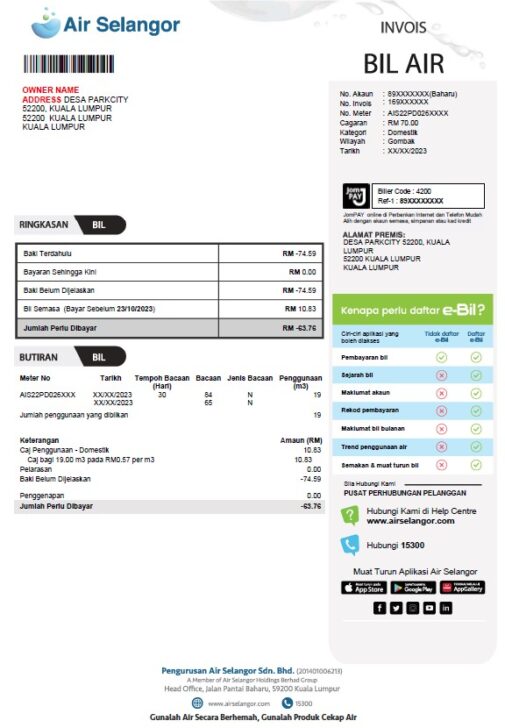
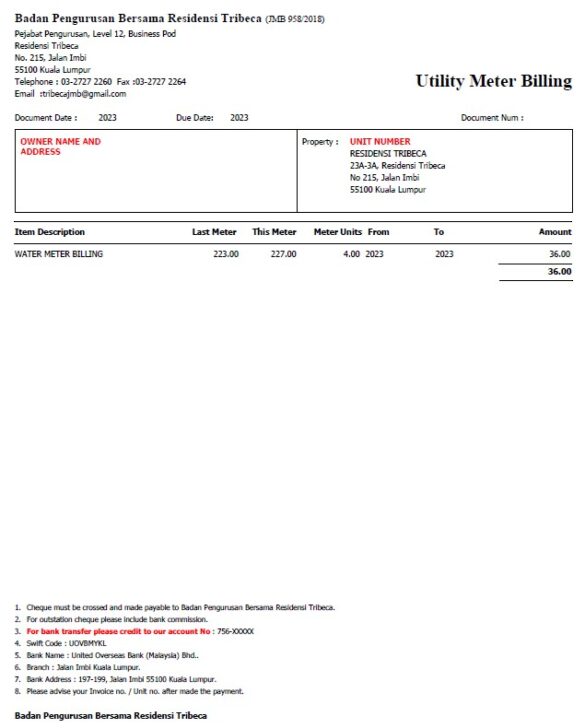
Bills are issued in the owner’s name by Air Selangor (SYABAS) or condominium management.
Check that the bill is for the home you live in before taking action.
Bills delivered to the mailbox may be a single blue slip or an A4 sheet.
For Air Selangor (SYABAS), the owner may have arranged to receive bills by email.
In that case, the bill will look like the example below.
✅ A bill from Air Selangor (SYABAS)
✅ A bill from condominium management: Residensi Tribeca example
If you find that the owner has registered online and receives email bills instead of paper bills, follow the registration guidance under “Paying through the Air Selangor (SYABAS) app” below. From the following month, you can check the amount due and pay through the app.
What is the management office?
It is the condominium’s on-site management office.
It issues bills and access cards and manages the condominium. It is also the contact point for complaints, such as excessive noise from neighbours.
Usual office hours are 9 am–5 pm on weekdays and 9 am–1 pm on Saturdays.
How often will I be billed, and how much?
Air Selangor (SYABAS) issues bills monthly.
Bills from management may be monthly, quarterly or on another schedule, depending on the condominium.
The amount depends on usage, but minimum charges may apply even in months with no consumption.
Payment methods
✅ Bills from Air Selangor (SYABAS)
You can pay through JomPAY, bank transfer, convenience stores, post offices or the Air Selangor app.
✅ Bills from management
Options include cash and bank transfer.
Payment methods are usually listed at the bottom of the bill.
Paying with JomPAY through CIMB Clicks
Log in to CIMB Clicks, open “Pay & Transfer”, then select “JomPAY”.
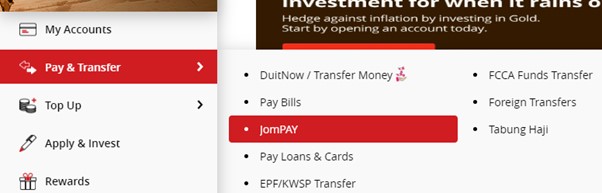
Enter the following details:
✅ Biller Code: 4200 for Air Selangor (SYABAS)
✅ Ref-1: the 10-digit account number marked “Baharu” in the “No. Akaun” field at the top right of the bill
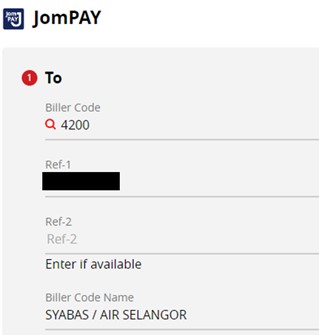
Enter the remaining required details and complete the payment.
Paying through a bank, convenience store or post office
Take the bill to the counter and pay the billed amount in cash.
Always obtain a receipt and keep it.
You can also pay at a bank where you do not hold an account.
The new Air Selangor (SYABAS) app, from November 2025
Air Selangor has updated its website, and users need to register again.
Accounts are not automatically transferred from the old app or portal, so a new user registration is required.
👉 This requires a new user ID and password, along with identity verification using MyKad, a passport or another accepted document.
👉 Email login was previously available, but the new website and app use IDs such as MyKad numbers, company registration numbers or passport numbers instead.
👉 After registering on the new website or app, you need to add your water account.
👉 Features will gradually move to the new app, so switching promptly is recommended.
✅ Registration steps on a computer
1. Open the new SYABAS website (https://www.airselangor.com/login?lang=en) and click “Register now”.
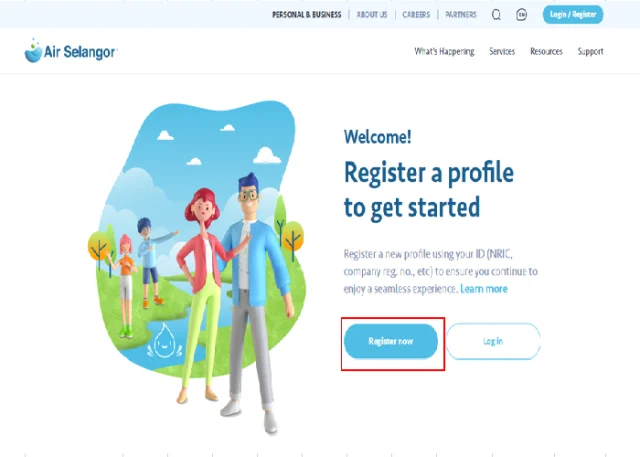
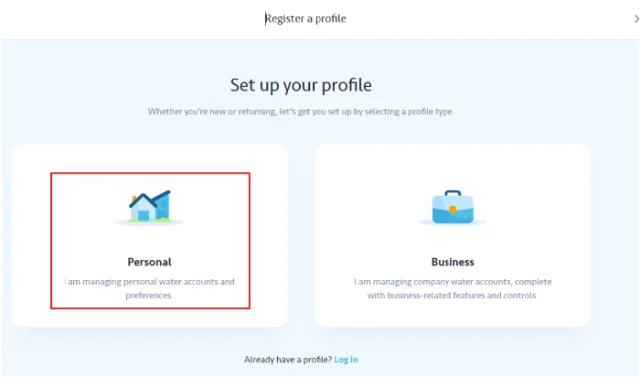
2. Select “Personal”.
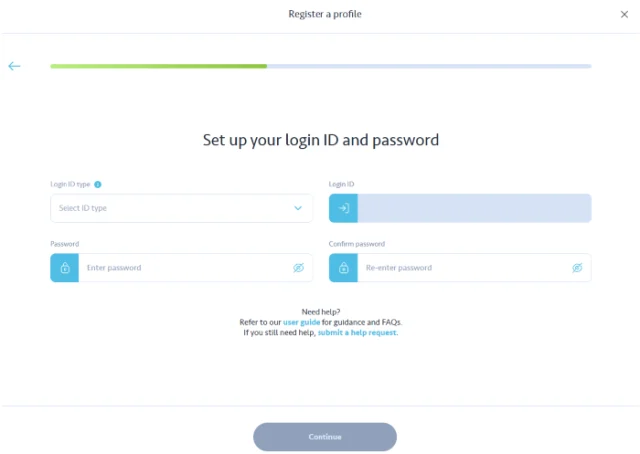
3. Enter your passport number, create a password and click “Continue” at the bottom.
4. Enter your name, mobile number, email address, passport expiry date and place of issue. Click “Continue”.
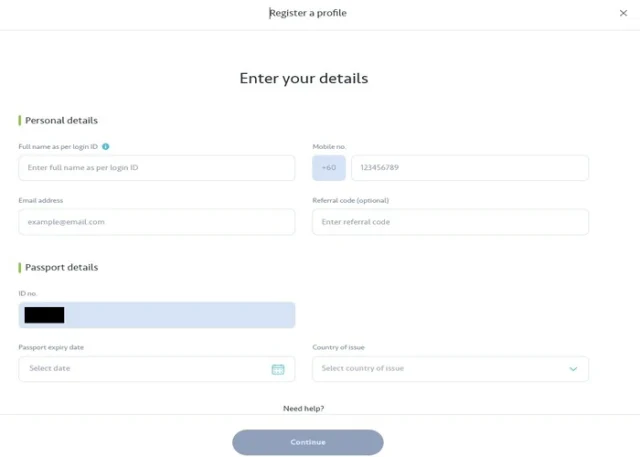
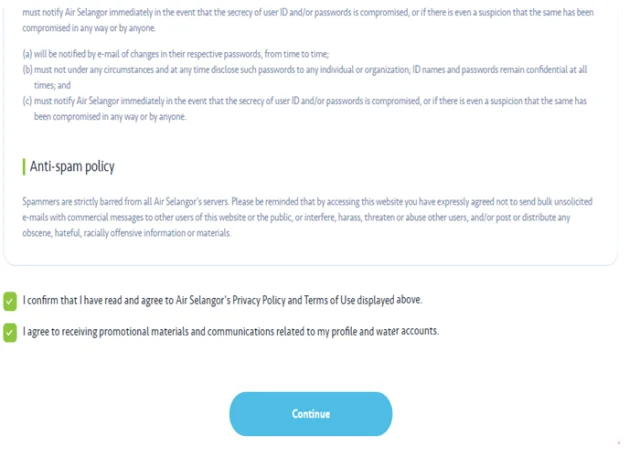
5. Read the terms and conditions, tick both checkboxes at the bottom and click “Continue”.
6. Enter the code sent by SMS to your registered mobile number.
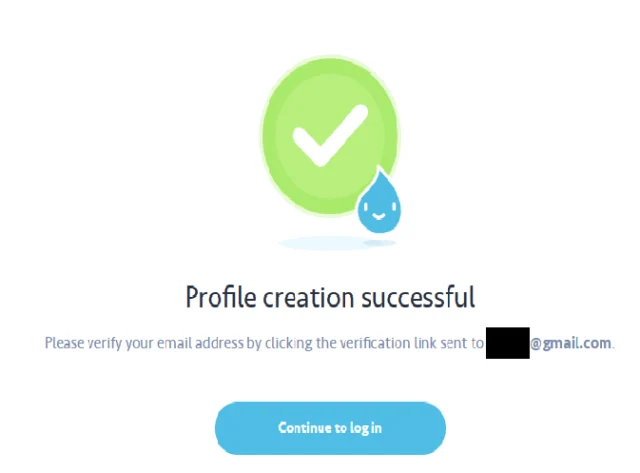
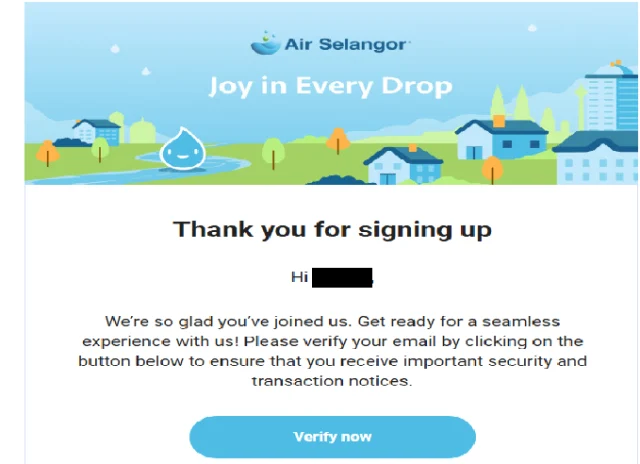
7. Click “Verify now” in the email sent to your registered address to complete user registration. Next, add your water account.
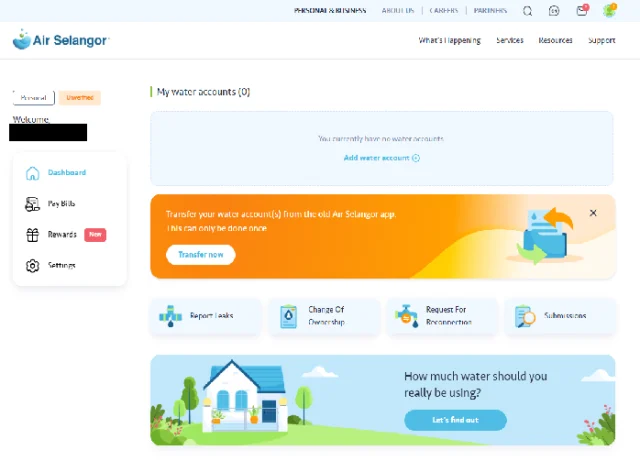
8. Log in with your passport number and password, then use the area circled in red to add your home’s water account.
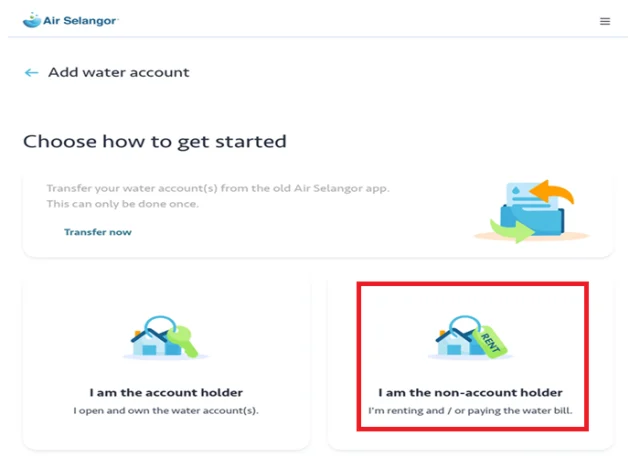
9. Select “I am the non-account holder”.
10. Enter the account number and the owner’s name as shown on the bill.
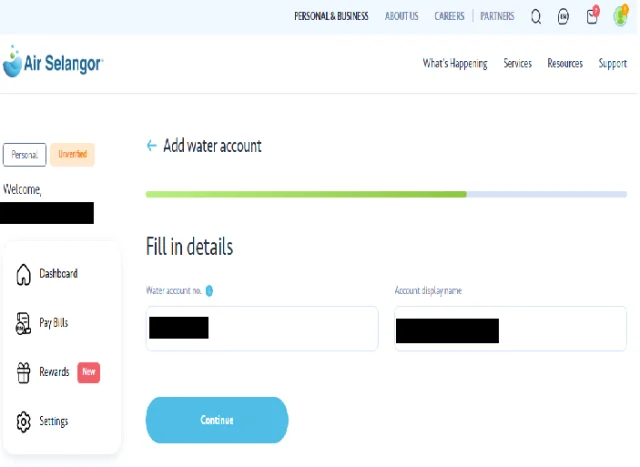
Registration is now complete, and you can view bills and make payments.
Once registered on either the website or the app, you can use the same passport number and password to log in to both.
Download the new water utility app using the links below.
■ For Apple devices: download here
■ For Android devices: download here
Payments are sometimes overlooked, especially in large condominiums. Your records provide evidence that you have paid.


