

We often receive questions about utility bills and how to pay them.
This article covers Indah Water sewerage charges, for which bills are sent by post each month.
What is Indah Water?
Everyone is required to pay this sewerage charge.
How will I receive the bill?
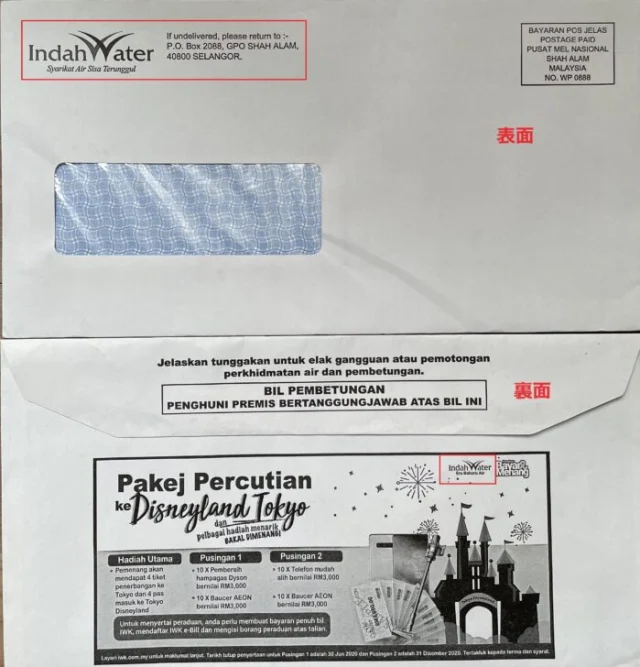
For every building category, bills are posted in envelopes bearing the Indah Water logo.
Most bills are addressed to the owner, but if the envelope bears the Indah Water logo, open it to check the bill.
Are bills monthly, and how much do they cost?
Depending on the building category, bills are issued monthly or every six months.
A fixed monthly charge of around RM10–29 is common.
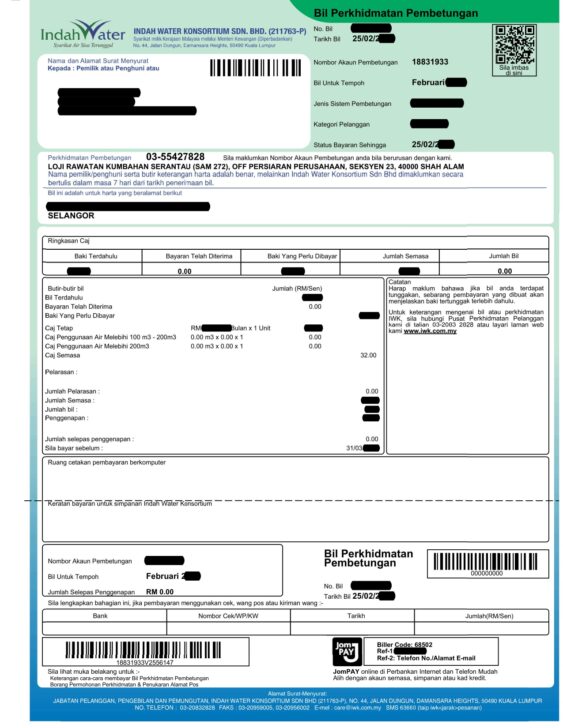
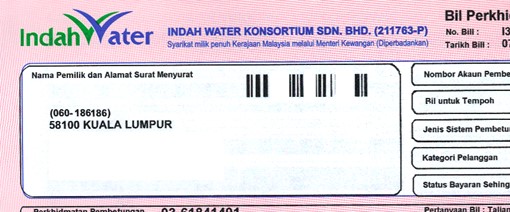
Bills are normally green. If there are overdue charges, they are red, as shown below.
Payment methods
You can pay through JomPAY, bank transfer, convenience stores, post offices or the Indah Water website.
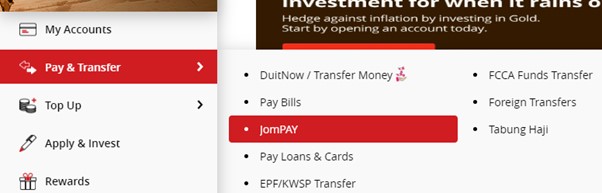
Paying with JomPAY through CIMB Clicks
Log in to CIMB Clicks, open “Pay & Transfer”, then select “JomPAY”.
Enter the following details:
✅ Biller Code: 68502 for Indah Water
✅ Ref-1: the eight-digit account number in the “Nombor Akaun Pembetungan” field at the top right of the bill
✅ Ref-2: your mobile number
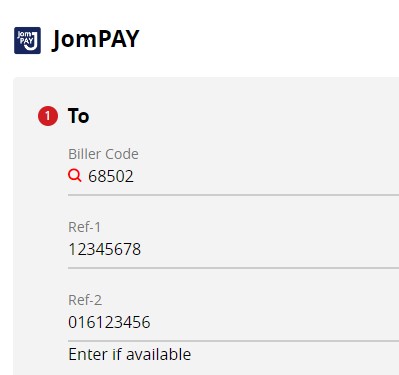
Enter the remaining required details and complete the payment.
Paying through a bank, convenience store or post office
Take the bill to the counter and pay the billed amount in cash.
Always obtain a receipt and keep it.
You can also pay at a bank where you do not hold an account.
Paying through the Indah Water website
1. Open the Indah Water payment page: https://www.iwk.com.my/pay-bill.
2. Enter your Indah Water account number, the eight digits in the “Nombor Akaun Pembetungan” field at the top right of the bill, then click Check Account Balance.
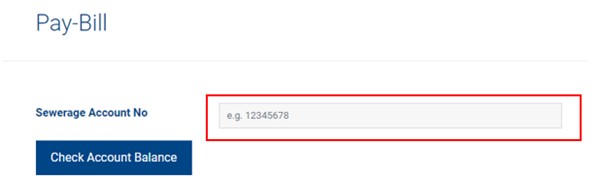
3. Refer to your bill and enter:
✅ Amount
✅ Email
✅ Handphone Number
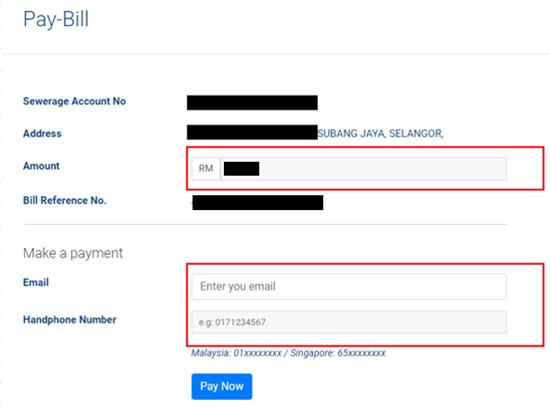
4. Complete the required fields, then click Submit Payment/Proceed.
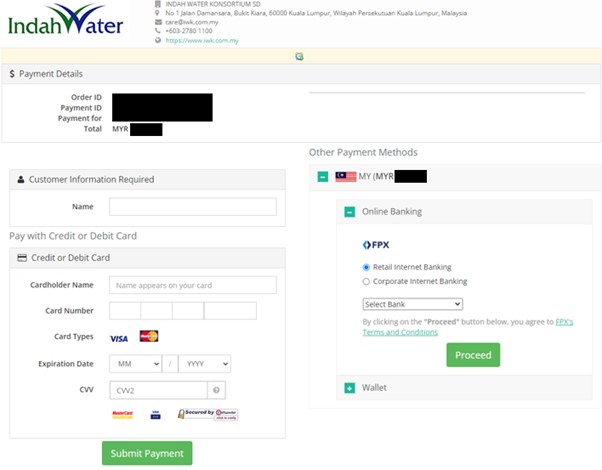
Paying through the Indah Water mobile app
Search for Indah Water and download the app with the icon shown below. You can pay in the same way as on the website.

1. Tap PAY BILL.
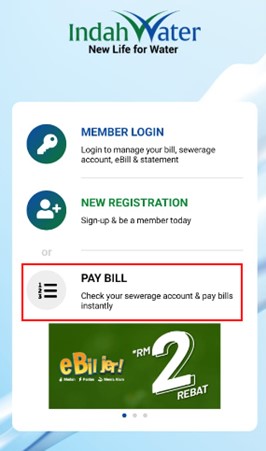
2. In the field labelled NEW SEWARAGE NO, enter your account number.
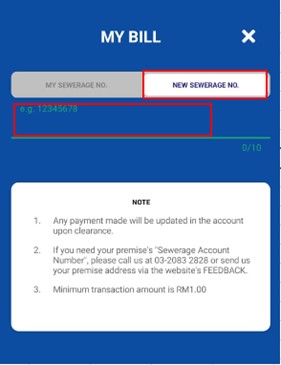
3. Enter your Email and Handphone Number, then tap CONFIRM.
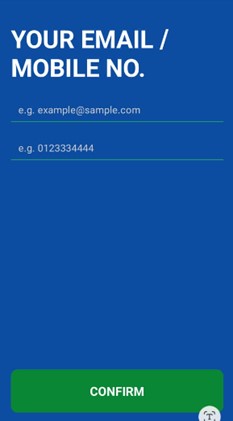
4. Check the details and amount, then tap CONFIRM.
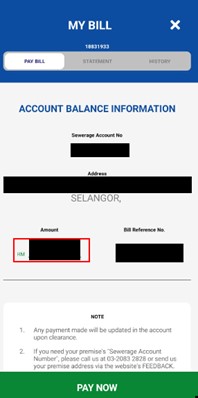
5. Complete the required fields, then tap Submit Payment/Proceed to make the payment.
Payments are sometimes not recorded correctly. Your receipt provides evidence that you have paid.


